Liqcreate resin settings for the Beam3D Prism are optimized for the printer’s 2K RGB LCD system. Exposure times, layer parameters and curing profiles are validated to ensure consistent performance across engineering, modeling and creative photopolymers. The RGB LCD architecture requires longer exposure times compared to monochrome systems, which is reflected in the recommended parameters. This page provides an extensive overview of Beam3D Prism resin compatibility with Liqcreate materials, including validated exposure settings, layer thickness recommendations, and workflow considerations for reliable part production.
Liqcreate resins are formulated for broad compatibility with desktop MSLA and RGB‑LCD systems, and the Beam3D Prism is no exception. Most Liqcreate engineering, dental and creative materials polymerize efficiently under the Prism’s 405 nm LED array, provided that exposure times are adjusted to compensate for the reduced UV transmission of the RGB panel. The parameters listed below are based on internal testing, customer feedback and cross‑validation with similar RGB‑LCD printers. These settings serve as a stable baseline for achieving dimensional accuracy, surface quality and mechanical performance across the Liqcreate portfolio.
The Beam3D Prism’s open‑material workflow allows direct import of custom resin profiles, making it suitable for Liqcreate resins such as Premium Model, Premium Tough, Strong‑X, Clear Impact, Flexible‑X, and other engineering‑grade formulations. Each resin category benefits from tailored exposure times, bottom layer curing, lift speeds and rest times to ensure proper polymerization and minimize print artifacts. The tables on this page summarize recommended Beam3D Prism resin parameters for each Liqcreate material, enabling efficient setup for both prototyping and production environments.
Because RGB‑LCD printers transmit less UV energy, exposure times for Liqcreate resins on the Beam3D Prism are typically higher than on monochrome printers. This is normal for RGB systems and does not negatively affect part quality when parameters are correctly configured. Maintaining a stable resin temperature of 20–25 °C, ensuring proper vat film tension, and using the recommended layer thickness values further contribute to consistent curing behavior. With the correct Beam3D Prism resin settings, Liqcreate materials deliver sharp detail reproduction, strong mechanical properties and predictable workflow performance.
The following sections provide detailed resin‑specific settings, including normal exposure, bottom exposure, lift speeds, layer heights and additional recommendations for optimal curing. These parameters form a reliable starting point for printing Liqcreate materials on the Beam3D Prism and can be fine‑tuned based on part geometry, ambient conditions and desired mechanical characteristics. Most resins can work on this printer, however, no pre-settings are available. Contact us if you need support or have any questions.
Beam3D Prism resin compatibility and exposure parameters
Find Beam3D Prism resin 3D-printing parameters in the table below.
| Resin | Layer thickness | Curing time (seconds) | Remark |
| Premium White | 100 µm | 13 | First layers 2 x 180 seconds |
| 50 µm | 11 | First layers 2 x 150 seconds | |
| 35 µm | 9 | First layers 2 x 120 seconds | |
| Premium Black | 100 µm | 13 | First layers 2 x 180 seconds |
| 50 µm | 11 | First layers 2 x 150 seconds | |
| 35 µm | 9 | First layers 2 x 120 seconds | |
| Premium Model | 100 µm | 13 | First layers 2 x 180 seconds |
| 50 µm | 11 | First layers 2 x 150 seconds | |
| 35 µm | 9 | First layers 2 x 120 seconds | |
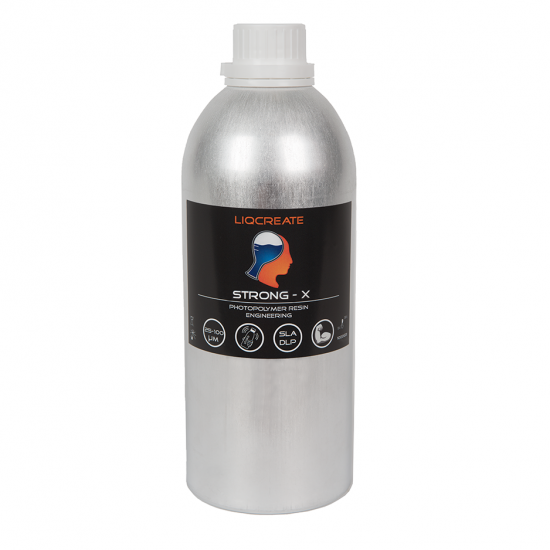
| Strong-X | 100 µm | 25 | First layers 2 x 180 seconds |
| 50 µm | 23 | First layers 2 x 150 seconds | |
| 35 µm | 21 | First layers 2 x 150 seconds |
Pro-tip RGB vs. Mono: Because the Prism uses an RGB LCD screen, exposure times are generally longer than newer monochrome printers. For Liqcreate engineering resins like Strong-X, ensure your environment is at least 20°C/68°F for optimal flow.
About the Beam3D Prism resin 3D-printer

Beam3D Prism resin 3D-printer specifications
The Beam3D Prism resin 3D-printer has a 120 x 70 x 150 mm build volume, parallel LED array, 2K RGB LCD screen, all-metal design, auto-leveling, resin calibration, multiple supported slicer.
Support
Do you need any help with 3D printing our SLA, DLP or LCD resins? We can help you! Just look for the question you have below. If you can’t find it, let us know by contacting us!