The Zortrax Inkspire is a professional LCD/MSLA resin 3D printer known for precision and fine detail. While it works with many materials, Liqcreate resins require optimized settings to achieve the best results. This guide provides tested printer parameters, useful tips, and downloadable settings for Liqcreate resins on Inkspire.
Why Choose Liqcreate Resins for Zortrax Inkspire
Liqcreate’s resin range offers a wide selection — from engineering-grade and flexible materials to casting and dental resins. These resins are compatible with open resin printers like the Inkspire, enabling high-quality prints across many applications including prototyping, functional parts, jewelry, and dental models. Download the Chitubox settings for the Zortrax Inspire here.
Liqcreate Resin Settings for Zortrax Inkspire
Use the settings below as a starting point. Actual exposure time may vary depending on temperature, vial age, and machine calibration — always test before full production.
| Resin | Layer thickness | Exposure time (seconds) | Remark |
| Deep Blue | 100 µm | 35 | 5 base layers 160 seconds |
| 50 µm | 26 | 5 base layers 160 seconds | |
| 25 µm | 26 | 5 base layers 160 seconds | |
| Stone Coal Black | 100 µm | 30 | 5 base layers 160 seconds |
| 50 µm | 26 | 5 base layers 160 seconds | |
| 25 µm | 23 | 5 base layers 130 seconds | |
| Premium White | 100 µm | 20 | 3 base layers 120 seconds |
| 50 µm | 16 | 3 base layers 120 seconds | |
| 25 µm | 14 | 3 base layers 120 seconds | |
| Premium Black | 100 µm | 18 | 5 base layers 140 seconds |
| 50 µm | 14 | 5 base layers 140 seconds | |
| 25 µm | 11 | 5 base layers 140 seconds | |
| Premium Model | 100 µm | 13 | 5 base layers 120 seconds |
| 50 µm | 12 | 5 base layers 90 seconds | |
| 25 µm | 11 | 5 base layers 80 seconds | |
| Wax Castable | 100 µm | 16 | 5 base layers 140 seconds |
| 50 µm | 14 | 5 base layers 140 seconds | |
| 25 µm | 11 | 5 base layers 140 seconds | |
| Premium Flex | 100 µm | 14 | 5 base layers 140 seconds |
| 50 µm | 10 | 5 base layers 140 seconds | |
| 25 µm | 8 | 5 base layers 140 seconds | |
| Premium Tough | 100 µm | 16 | 5 base layers 120 seconds |
| 50 µm | 14 | 5 base layers 90 seconds | |
| Clear Impact | 100 µm | 35 | 5 base layers 170 seconds |
| 50 µm | 32 | 5 base layers 170 seconds | |
| 25 µm | 28 | 5 base layers 150 seconds | |
| Strong-X | 100 µm | 32 | 5 base layers 170 seconds |
| 50 µm | 26 | 5 base layers 170 seconds | |
| 25 µm | 23 | 5 base layers 150 seconds | |
| Tough-X | 100 µm | 32 | 5 base layers 170 seconds |
| 50 µm | 26 | 5 base layers 170 seconds | |
| Flexible-X | 100 µm | 26 | 5 base layers 170 seconds |
| 50 µm | 24 | 5 base layers 170 seconds | |
| Hazard Glow | 100 µm | 35 | 5 base layers 120 seconds |
| 50 µm | 26 | 5 base layers 120 seconds | |
| Composite-X | 100 µm | 30 | 5 base layers 170 seconds |
| 50 µm | 26 | 5 base layers 150 seconds |
Pro Tip: When using the Zortrax Inkspire, always ensure you have selected the “External Resins” profile in Z-SUITE to enable custom exposure time adjustments.
Download Ready-to-Use Chitubox Profiles
Streamline your workflow with pre-configured Chitubox settings optimized for Inkspire and Liqcreate resins — available for direct download.
Technical Guide: How to Import Settings
To achieve the best results with Liqcreate resins on your Zortrax hardware:
-
Open Z-SUITE: Navigate to the ‘Print’ settings.
-
Select External Resin: Choose the “External” category rather than the Zortrax-branded presets.
-
Input Parameters: Copy the exposure and layer thickness values from the table above.
Zortrax Inkspire Printer Overview
A brief reminder of Inkspire’s capabilities helps search engines and users understand context:
Key specifications:
-
Technology: UV LCD / MSLA
-
Pixel size: ~50 µm
-
Layer thickness supported: 25 µm, 50 µm, 100 µm
-
Build volume: 132 × 74 × 175 mm
-
Light source: 405 nm UV LED
-
Open resin system: Fully compatible with 3rd-party resins like Liqcreate.
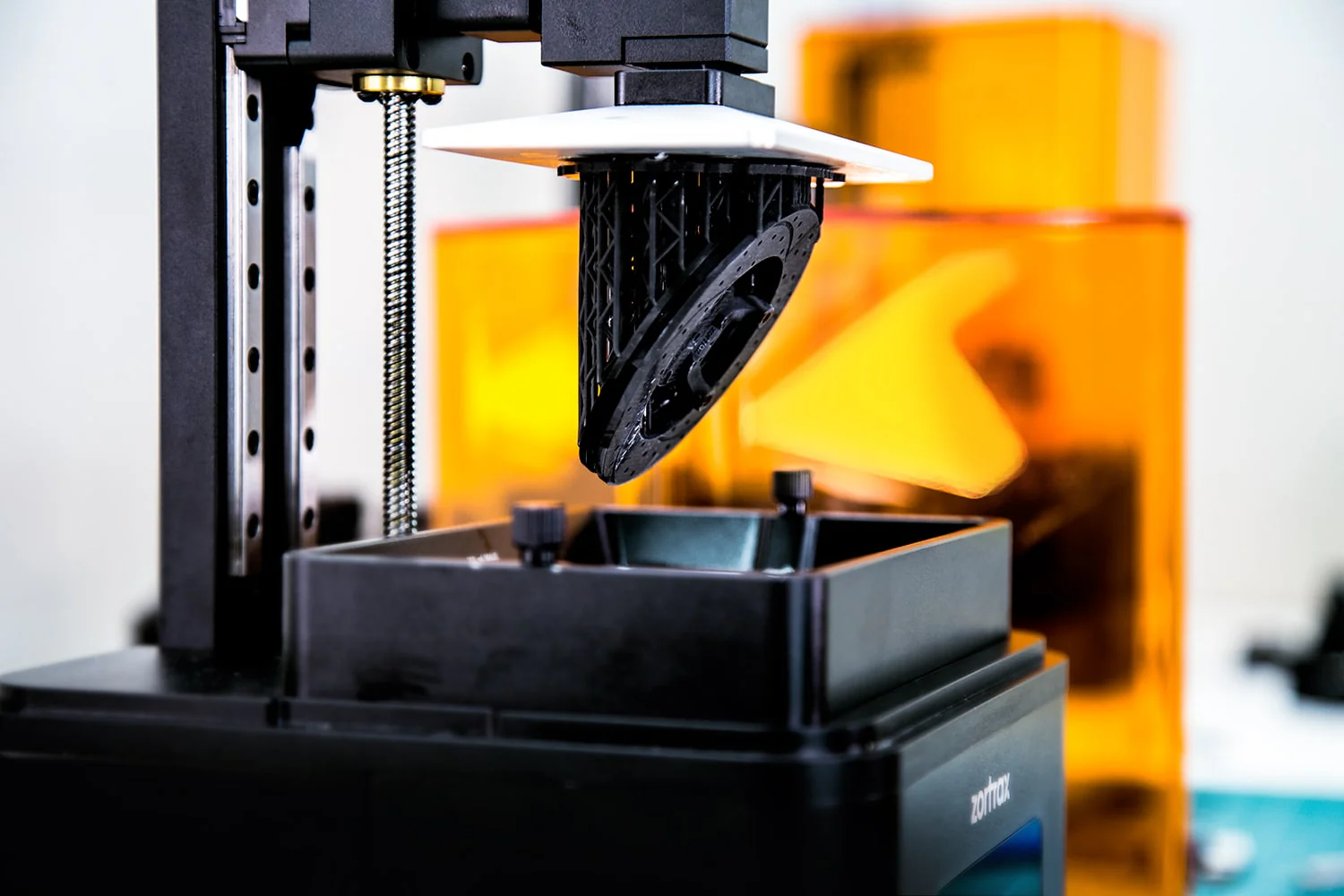
Image by Zortrax: The Zortrax Inkspire resin 3D-printer
Tips for Best Print Results
-
Calibrate exposure time: Use Zortrax’s exposure calibration tool to fine-tune settings when no pre-settings are available. Zortrax
-
Shake and rest resin: Many resins benefit from shaking and letting bubbles dissipate before printing.
-
Optimize supports & orientation: Angling parts and adjusting support density reduces failures and improves surface quality.
-
Monitor temperature: Consistent room & resin temperatures ensure repeatable curing. Liqcreate resins work best between 20-25°C (68-77°F)
Frequently asked questions – FAQ
-
Q: Is Zortrax Inkspire an open resin printer?
- A: Yes the Zortrax Inkspire is an open printer ready to work with 405nm 3rd party 3D-printing resins
-
Q: What is the best layer height for Liqcreate resin on Zortrax?
- A: 0,05mm is the best layer heigth for most project. Although jewelry parts are sometimes printed at 0,025mm layer heigth and less demanding parts on 0,1mm layer heigth.
-
Q: How do I import settings into Z-SUITE or Chitubox?
- A: Just download the Chitubox parameter set above and load it into Chituboz. There is no Z-suite download link for parameters available.
Contact us if you have any questions or when you need help with settings for the Zortrax Inkspire or other resin based 3D-printers.
Support
Do you need any help with 3D printing our SLA, DLP or LCD resins? We can help you! Just look for the question you have below. If you can’t find it, let us know by contacting us!


